
# How to save Telegram voice notes using Python
In this tutorial, I will demonstrate how to download Telegram voice notes using the python-telegram-bot (opens new window) package.
# 1. Install the python-telegram-bot package
Firstly, we need to install the package:
pip install python-telegram-bot~=13.11
Version 20 is still in pre-release at the time of writing and will contain breaking changes, so we need to install a compatible release (opens new window) for version 13.11 above.
# 2. Create a Telegram bot
We can follow the instructions from Telegram's Bot API documentation (opens new window) to create a new Telegram bot:
- Open a new chat with the BotFather (opens new window).
- Type
/newbotto create a new bot and give it a name and username, e.g. "My Voice Bot" and "my_voice_bot". - Save the token that was returned, e.g.
12345:tokenabc.
# 3. Write a handler for the bot using Python
If you haven't used python-telegram-bot before, going through the Your First Bot (opens new window) documentation now will give you much better understanding of what we're going to do below.
Some of the python-telegram-bot features that we will be using below include:
- The
Updater(opens new window) which allows us to write code to interact with the bot. - A
MessageHandler(opens new window) to receive all types of Telegram messages. filters(opens new window) which we'll use to select only voice notes.- The
Bot.get_file(opens new window) method to get data about the file and prepare it for download. - The
File.download(opens new window) method to finally download the file.
Putting this all together, we get:
from telegram import Update
from telegram.ext import Updater, CallbackContext, MessageHandler, Filters


def get_voice(update: Update, context: CallbackContext) -> None:
    new_file = context.bot.get_file(update.message.voice.file_id)
    new_file.download("voice_note.ogg")
    update.message.reply_text('Voice note saved')

updater = Updater("TOKEN")

updater.dispatcher.add_handler(MessageHandler(Filters.voice , get_voice))

updater.start_polling()
updater.idle()
2
3
4
5
6
7
8
9
10
11
12
13
14
15
We can save the code above in a file called bot.py and run it with python bot.py.
# Try it out
Now we can try it out! Open a new Telegram chat with your bot. You can open a chat in your browser using a link like t.me/<bot_username>.
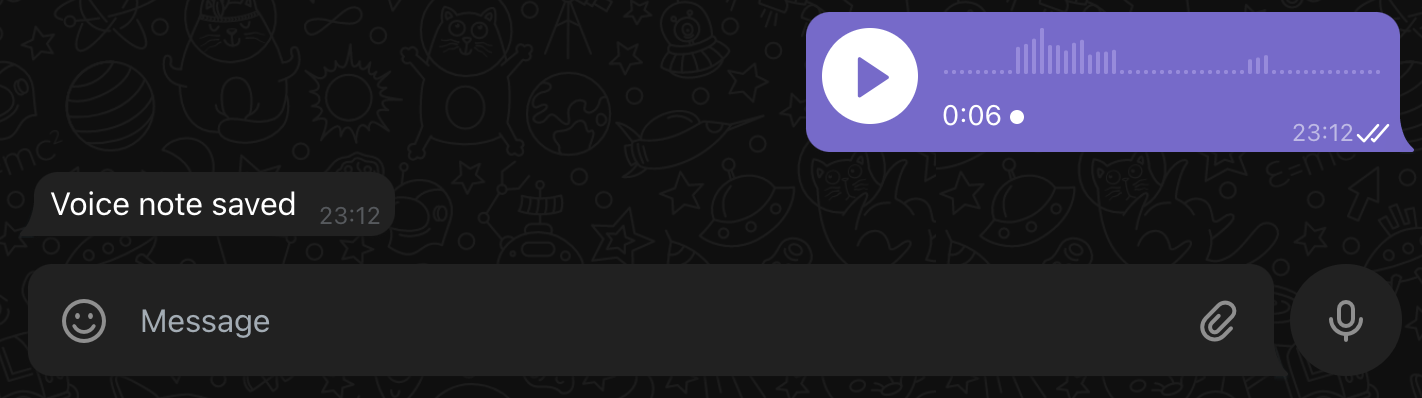
Send a voice note and voila! After your voice note has been sent, you should receive a "Voice note saved" message and see a file called "voice_note.ogg" in your local directory:
Thank you for reading my blog! If you enjoyed this post, you're welcome to subscribe via RSS here (opens new window) (I can recommend NetNewsWire on iOS).